
MCP / API Manager · Private, free beta
Connect your AIs to your tools, without handing them your secrets.
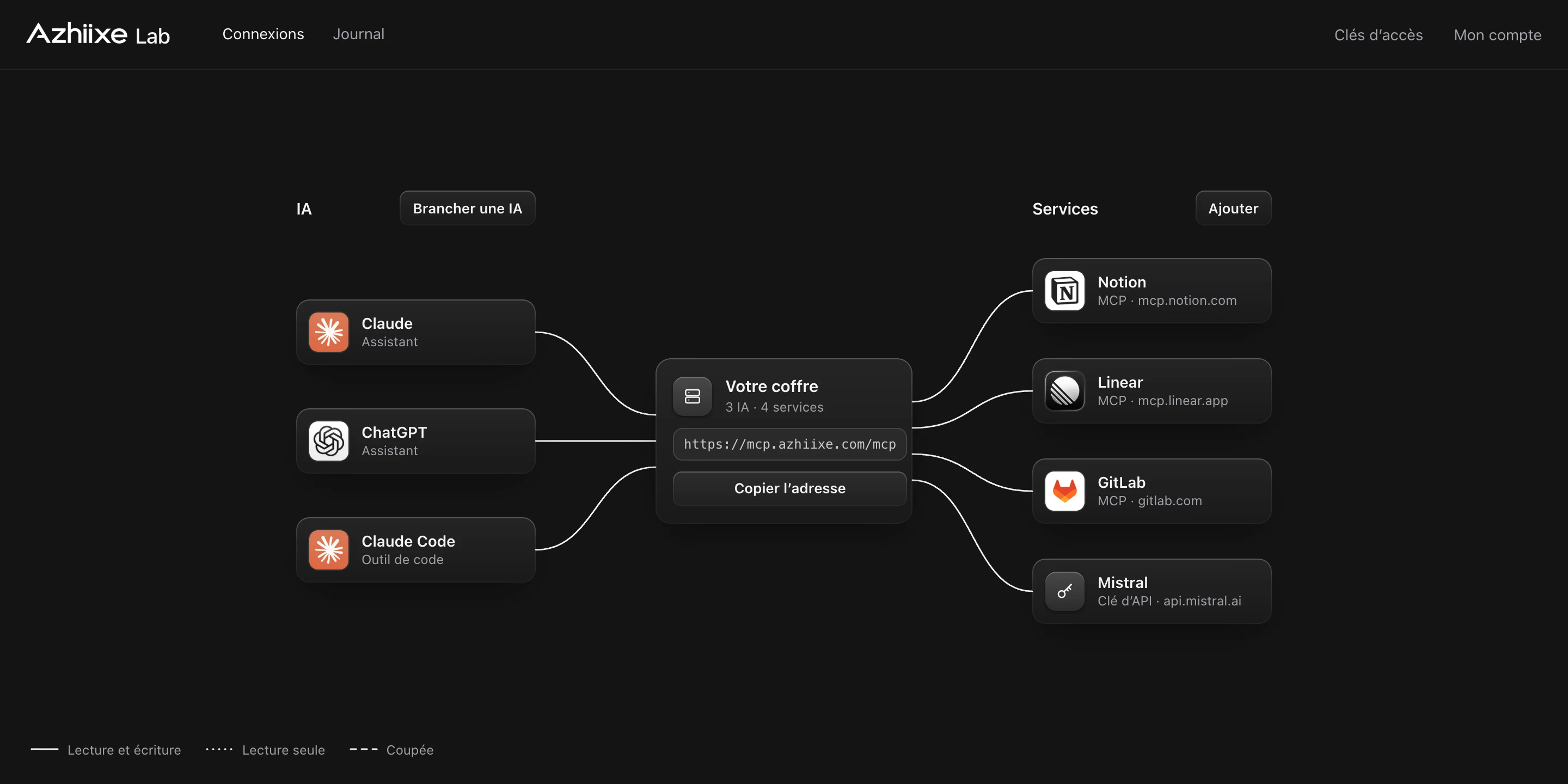
The manager sits between your AIs and your services: Notion, Jira, GitLab, Zapier, your APIs. You choose what each AI can do, and every call is logged.
During the beta, request your invitation with a direct message to @azhiixe on X.
What the vault does
Your secrets stay in the vault
Your keys and connections are encrypted there. Your AIs go through it to use a tool: they never see a secret.
You choose, tool by tool
For each AI, you allow tools one by one. A new tool stays off until you allow it.
Every call is logged
Which AI, which tool, accepted or refused: the log keeps every call for 90 days, without content or secrets.
How it works
- 1
Add your access
One of the eleven services in the catalog, another online MCP server, or an API key.
- 2
Connect your AIs
Pick your app: its guide gives the steps, based on its official documentation.
- 3
Stay in control
Allow or remove a tool, cut off an AI at any time, and follow every call in the log.
Your AIs
Assistants
 Claude
 ChatGPT
 Gemini
 Grok Bot
 Perplexity
Coding tools
- Claude Code
 Codex
- Gemini CLI
 Cursor
 VS Code
 Windsurf
 Zed
 OpenCode
Local AIs
 LM Studio
Checked on November 25 and 26, 2026 against each app’s official documentation. Some set their own conditions (plan, version): they are shown when you connect the AI. Another local AI can connect too, if it can reach an MCP server over HTTP.
Your services
In the catalog
 Notion
 Linear
 Atlassian
 Zapier
 ClickUp
 Calendly
 Todoist
 Miro
 PayPal
 GitLab
 Sentry
The catalog as of November 26, 2026. Atlassian gives access to Jira and Confluence. Your service isn’t there? Add it by its MCP server address, or with an API key. The brands mentioned belong to their owners.
Your account, without a password
It’s created with a passkey (Face ID, Touch ID), with no email address. Each passkey takes the name of its device, and you can rename or remove it. The interface is in French for now.